How to Request an Emergency CNC Repair: A Step-by-Step Guide
Share Post
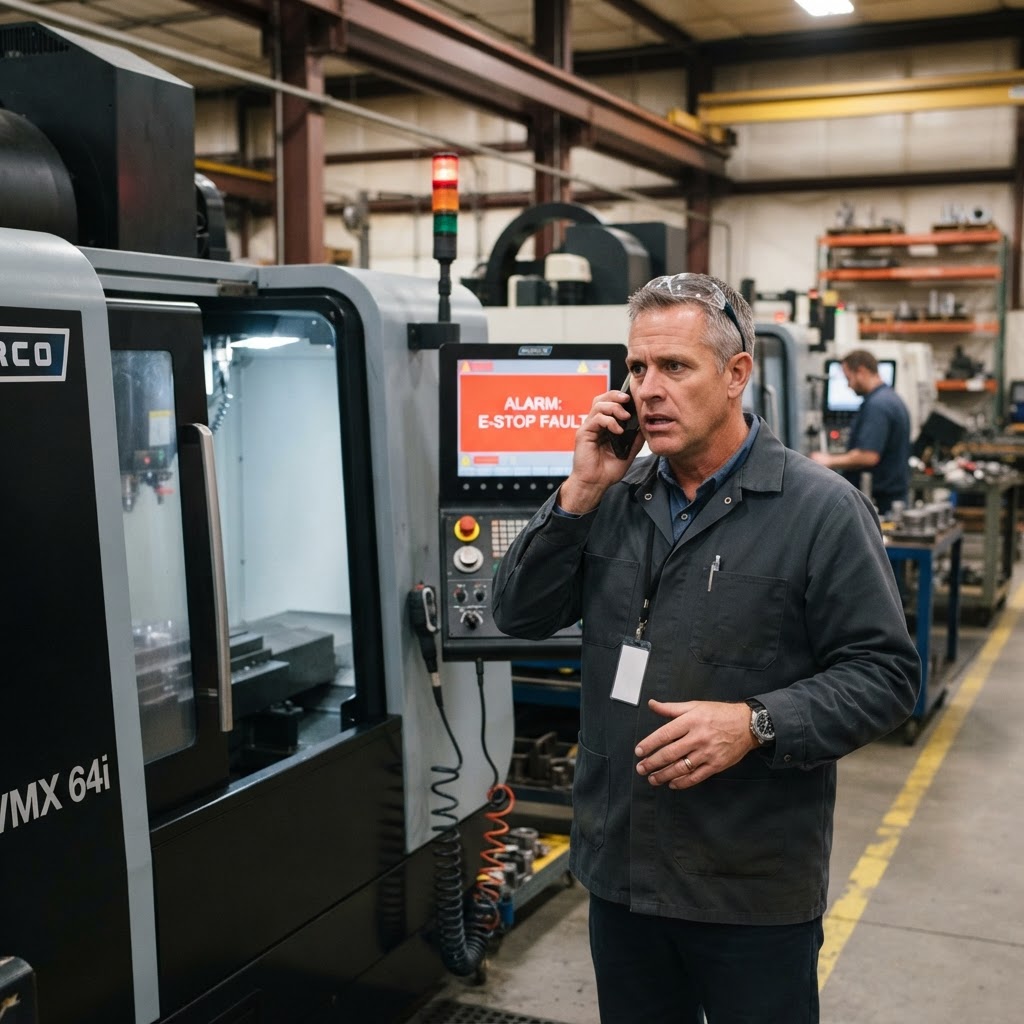
When a CNC machine goes down in a busy Southern California machine shop, the atmosphere instantly shifts. The reassuring hum of spindles, the rhythmic sound of coolant pumps, and the steady movement of axes are suddenly replaced by an eerie silence—or worse, the grinding sound of a catastrophic failure. Every minute a critical CNC machine remains idle, your production schedule slips, late delivery penalties loom, and shop profitability takes a hit. In manufacturing, time is quite literally money.
When facing an unexpected breakdown, machine operators and shop managers often panic. However, the speed and success of your recovery depend entirely on the steps you take in the first fifteen minutes of the failure. Knowing how to efficiently initiate an emergency CNC repair request can mean the difference between a minor schedule disruption and a multi-week operational disaster.
In this comprehensive guide, we walk you through a professional, step-by-step protocol for handling a CNC machine breakdown, gathering the precise technical details your service provider needs, and initiating an emergency service call with In-House CNC Service LLC.
The True Cost of CNC Downtime: A Southern California Perspective
To understand why a structured request process is so critical, we must first look at the real economics of a down machine. In the manufacturing hubs of Southern California—from the aerospace corridors of Orange County to the high-volume medical device and defense shops in Riverside and San Diego—production schedules are tightly choreographed. A single vertical machining center or turning center sitting idle can delay a critical shipment, resulting in immediate financial penalties from prime contractors, lost reputation, and idling operators who are still drawing wages while producing zero output.
When you factor in the cost of wasted material from a scrapped run, the potential damage to expensive tooling, the loss of customer trust, and the premium cost of emergency freight shipping to meet missed deadlines, the true cost of a down CNC machine can easily range from $500 to over $2,000 per hour depending on the complexity of the part. This is why every single minute saved during the initial triage and dispatch process is direct profit saved for your business.
Step 1: Secure the Machine and Prioritize Safety
Before you touch a button or reach for a phone, your primary responsibility is to ensure the safety of your operators and protect the machine from further damage.
- **Hit the E-Stop:** If the machine is still in motion, making abnormal sounds, or showing signs of mechanical distress, press the Emergency Stop immediately. Do not attempt to complete the cycle.
- **Isolate Power if Necessary:** If you smell burning electronics, see smoke, or suspect a major electrical short circuit, safely shut off the main breaker to the machine.
- **Secure the Workpiece and Tooling:** If safe to do so, inspect the workspace. Ensure that heavy workpieces or fragile tooling are not in a position where they could drop, slip, or cause secondary damage due to gravity or loss of hydraulic/pneumatic pressure.
- **Tag Out the Machine:** Place a highly visible “Out of Service” or Lockout/Tagout (LOTO) tag on the control panel. This prevents another operator on a subsequent shift from accidentally powering up the machine and exacerbating the internal damage.
Step 2: Document the Immediate Symptoms and Alarm Codes
The more technical details you gather immediately after the failure, the faster a CNC repair technician can diagnose the root cause and prepare the necessary replacement parts. Before you make a phone call, document the following key information:
- **Active Alarm Codes:** This is the single most valuable piece of diagnostic data. Write down every error code and accompanying text exactly as they appear on the control screen. Many controls (like Fanuc, Haas, or Mazak) maintain an alarm history log—take a photo of this screen with your smartphone.
- **Observe the Symptom Details:** Is the spindle refusing to orient? Is there a loud chatter on the X-axis? Did the controller lose its parameters? Be as specific as possible. Instead of noting “machine won’t run,” write “spindle fails to start in M03, but axis jogging works perfectly.”
- **Identify the Last Known Operation:** What was the machine doing at the exact moment of failure? Was it performing a high-speed tool change, interpolating a heavy pocket, deep drilling, or finishing a rapid traverse?
- **Note Any Unusual Physical Signs:** Look for fluid leaks (hydraulic fluid, coolant, spindle lube), listen for unusual sounds (clicking, humming, grinding), and check for heat build-up around motor housings or spindle castings.
Step 3: Gather Critical Machine Specifications
To properly service a complex CNC machine, a technician needs to know its precise pedigree. Different vintages of the same machine model can have entirely different internal components, drive boards, and mechanical layouts. Locate the manufacturer’s ID plate (usually found near the main electrical cabinet) and document:
- **Machine Make and Model:** (e.g., Haas VF-3, Mazak Nexus 510C, Mori Seiki NLX 2500)
- **Serial Number and Year of Manufacture:** This is essential for sourcing accurate electrical schematics and part numbers.
- **Control Unit Type:** (e.g., Fanuc 18i-MB, Mitsubishi M80, Haas Coldfire, Heidenhain iTNC 530)
- **Drive and Motor Models:** If the fault points directly to an axis drive or spindle amplifier, finding the model numbers on those specific units inside the electrical cabinet can dramatically accelerate the repair timeline.
A Operator’s Checklist for Post-Failure Safety Inspection
To make this process as repeatable as possible under high-stress conditions, modern shops should maintain a physical or digital checklist at every workstation. Here is a quick, high-priority safety checklist your operators should follow the instant a machine halts:
- **Visual Hazard Check:** Ensure there is no active electrical arcing, smoke, fire, or hydraulic fluid spraying under pressure.
- **Operator Positioning:** Ensure all shop personnel are clear of any potential mechanical movement, particularly if the axis has lost power and gravity could cause a vertical axis or heavy tool changer arm to drift.
- **Control Status Verification:** Check if the screen is completely dead or if it is responsive. If responsive, do not cycle the power yet—this can wipe out critical temporary error logs and active system states.
- **Isolate auxiliary equipment:** Turn off bar feeders, high-pressure coolant pumps, mist collectors, and chip conveyors linked to the primary machine to prevent them from continuing to cycle or dump material.
Step 4: Trace the Events Leading to the Failure
A sudden machine breakdown is often the culmination of a chain of events. Gathering historical context helps the CNC repair specialist narrow down potential causes:
- **Was There a Crash?** Be completely honest. CNC technicians are not there to assign blame; they are there to fix the machine. If a tool collided with a fixture or a workpiece slipped during high-speed machining, knowing this immediately changes the diagnostic path from an electrical troubleshooting routine to a mechanical alignment and spindle inspection.
- **Have There Been Power Fluctuations?** Note if your facility recently experienced a power blink, a local lightning storm, or if other heavy machinery was turned on or off at the moment of the crash.
- **Has Any Recent Maintenance Been Done?** Did someone recently change the way-lube filter, adjust the leveling pads, reload parameters, or alter the PLC ladder?
The Anatomy of Common Alarm Codes: What They Are Secretly Telling Us
For those unfamiliar with the inner workings of CNC controllers, alarm codes can look like an incomprehensible string of letters and numbers. However, they follow very logical hierarchies. Understanding these hierarchies can help you communicate more effectively with Jason when you make your emergency call:
- **Fanuc System Alarms (e.g., SV0401, SV0438, OT0500):** Alarms starting with “SV” refer to Servo systems. For example, SV0401 indicates a ready signal turn-off, meaning the drive was told to turn on but failed to do so. Alarms starting with “OT” represent over-travel limits, indicating a physical or software limit switch has been tripped. Alarms starting with “SP” relate directly to the spindle, such as SP1241 representing a spindle sensor disconnect or positioning failure.
- **Haas Alarm Codes (e.g., 102, 117, 991):** Haas systems use straightforward numbered alarms. Alarm 102 indicates a Servos Off state, usually triggered by an emergency stop or a serious drive error. Alarm 117 indicates a Spindle Overheat, pointing to a coolant or lubrication failure inside the head. Alarm 991 represents a tool changer fault, which usually requires manual realignment of the double-arm or carousel.
- **Mazak/Mazatrol Alarms (e.g., 200, 300, 115):** Mazak controllers divide their alerts into categories like “Emergency Stop” (200 series), “Servo Controller Alarms” (300 series), and “System/PLC Alarms” (100 series).
Knowing these codes allow our phone support team to instantly narrow down the issue. For instance, if you call and report a Fanuc SV0438 alarm, we know immediately that your digital servo drive has detected an abnormal current, indicating either a short-circuited motor winding, a pinched cable, or a completely blown power transistor module inside the drive. We can pack the correct replacement drive unit and diagnostic meters before we hit the road.
Step 5: How to Contact In-House CNC Service LLC
With all your documentation gathered, it is time to make the call. For machine shops throughout Southern California, In-House CNC Service LLC is the trusted partner for prompt, expert on-site CNC repair.
- **Call Directly:** Speak directly with owner Jason Wutzke by calling **(951) 540-4820**.
- **Provide Your Prepared Info:** Clearly state your machine’s make, model, control type, and the active alarm codes.
- **Describe the Urgency:** Let us know if this is a “machine down” emergency halting a high-priority production line, or if it is a secondary issue that can be scheduled during standard maintenance windows.
- **Send Photos and Media:** If requested, be ready to text or email high-resolution photos of the alarm screen, the failed part, or a brief video of the abnormal sound to speed up the pre-visit analysis.
Step 6: What to Expect Next and Timeline
Once you initiate an emergency CNC repair request with In-House CNC Service LLC, our streamlined dispatch and triage process begins immediately:
- **Initial Technical Triage:** Jason Wutzke or one of our senior specialists will review your alarm codes and symptoms over the phone. In some cases, we can guide your operator through a simple reset procedure or parameter check to get you running immediately.
- **Pre-Visit Sourcing:** If an on-site visit is required, we use your detailed machine specs to pre-diagnose the issue. This allows us to search our inventory and local supply networks for the correct replacement contactors, relays, drive units, or seals before we even arrive at your facility.
- **Dispatch Window:** We prioritize emergency “machine down” scenarios. Because we are based in Menifee, CA, we can rapidly deploy to facilities throughout Riverside, San Diego, Orange, and Los Angeles counties.
- **On-Site Diagnosis and Repair:** Upon arrival, our technician will interface with your lead operator, verify electrical voltages, run diagnostic routines, and systematically isolate the failure. We aim to complete most repairs during our initial visit, minimizing your overall downtime.
Conclusion: Preparing Your Shop for the Unexpected
An emergency CNC breakdown is always stressful, but having a standard operating procedure (SOP) in place transforms a chaotic incident into a manageable process. Keep a copy of this guide near your machine controls, and ensure your team knows who to call when a spindle goes silent.
When your CNC machines demand immediate, highly skilled attention, contact In-House CNC Service LLC at (951) 540-4820. We are dedicated to keeping Southern California’s manufacturing sector running with precision, speed, and integrity.